Check the real screen. Give precise feedback.
Open your web app or reference material on your phone. Expand the terminal over it to tell Claude Code or Codex CLI what to change, then collapse it to inspect the result.
Claude Code · Codex CLI · Android
Run Claude Code or Codex CLI on your SSH host and operate it from an Android bubble. Check the actual app in your browser, read a specification, and return to the terminal to give the next instruction. Keep multiple SSH sessions within reach.
Android 11 or later · notification and bubble permissions required
Your mobile AI coding workspace
Open your web app or reference material on your phone. Expand the terminal over it to tell Claude Code or Codex CLI what to change, then collapse it to inspect the result.
Save separate connections for your projects or tasks—even on the same host. Switch between their SSH bubbles like terminal tabs, with a separate CLI session in each.
Choose a screenshot or design image with the Image button. Bubble SSH uploads it to your SSH host and inserts its path into the terminal. Add your instruction so Claude Code can use the image as context.
Claude Code and Codex CLI run on your SSH host and need their own setup and account. Bubble SSH provides the Android terminal.
One focused loop
The terminal stays close to the task instead of taking over the whole screen.
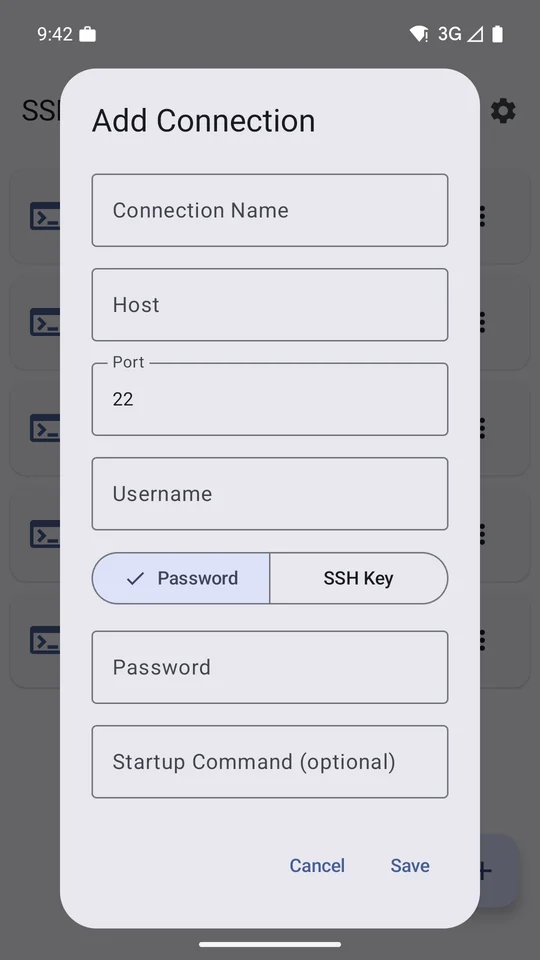
Add the host, port, username, and password or private key. Optional startup commands can prepare the shell for you.
Tap a saved connection. Android presents the live terminal as a conversation-style bubble over other apps.
Collapse the bubble while reading or chatting, then expand it when the terminal needs attention.
Built for phone-sized operations
Uses Android’s Bubble API, so the session can sit above a browser, chat, dashboard, or runbook.
Import or generate RSA, ED25519, and ECDSA keys. Passphrase-protected private keys are supported.
Place Ctrl, Tab, Esc, arrows, function keys, text snippets, and raw key sequences where your thumb expects them.
When connectivity drops or changes, Bubble SSH retries with backoff while keeping session state understandable.
Run a saved command on connect to enter the right directory, attach a session, or start a familiar workflow.
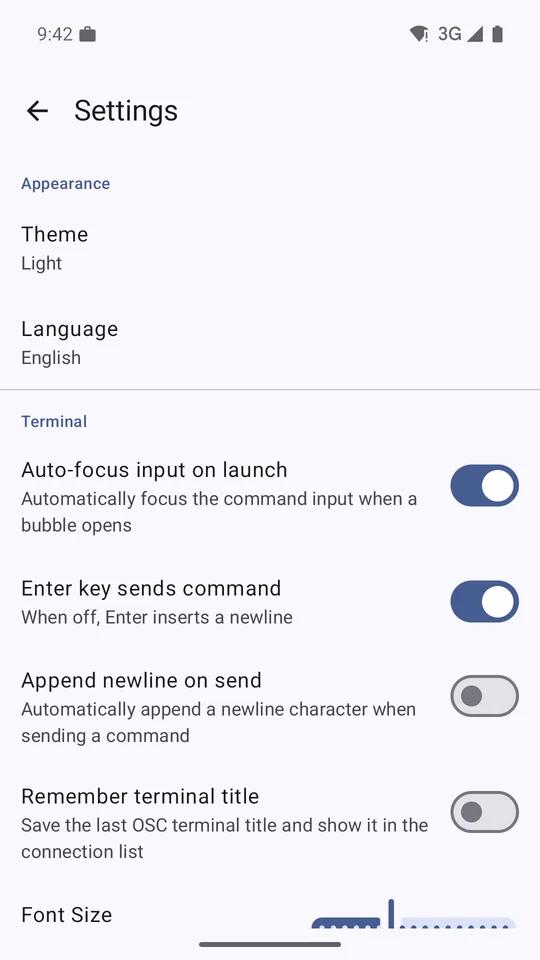
OSC 9, 99, and 777 sequences can surface long-running command results as Android notifications.
Direct answers
Yes. Connect to an SSH host where the CLI is installed and authenticated, then run it in the remote terminal. View your app or reference material on Android and expand the bubble to send instructions. The coding tools run on your SSH host.
Yes. Save separate connections for each project or task, including connections to the same host. Open them as separate SSH bubbles and switch between them like terminal tabs. Each has its own session; the terminals are expanded one at a time.
Select an image with the Image button in the terminal key bar. Bubble SSH uploads the file to your SSH host and pastes its path into the terminal input. Add an instruction asking Claude Code to inspect it. Only the selected image is transferred; the screen behind the bubble is not shared automatically.
Its primary terminal runs inside Android’s native bubble surface. You can move between the terminal and another app without repeatedly finding and reopening a full-screen SSH app.
Yes. Bubble SSH supports password authentication and RSA, ED25519, or ECDSA private keys, including passphrase-protected keys. Keys and connection settings are stored in the app’s private device storage.
The Android bubble keeps the app session accessible, but it cannot make a remote process durable by itself. Use a server-side session tool when the process must survive a disconnect. For OSC notifications, use a multiplexer that passes OSC sequences through, such as zmx.
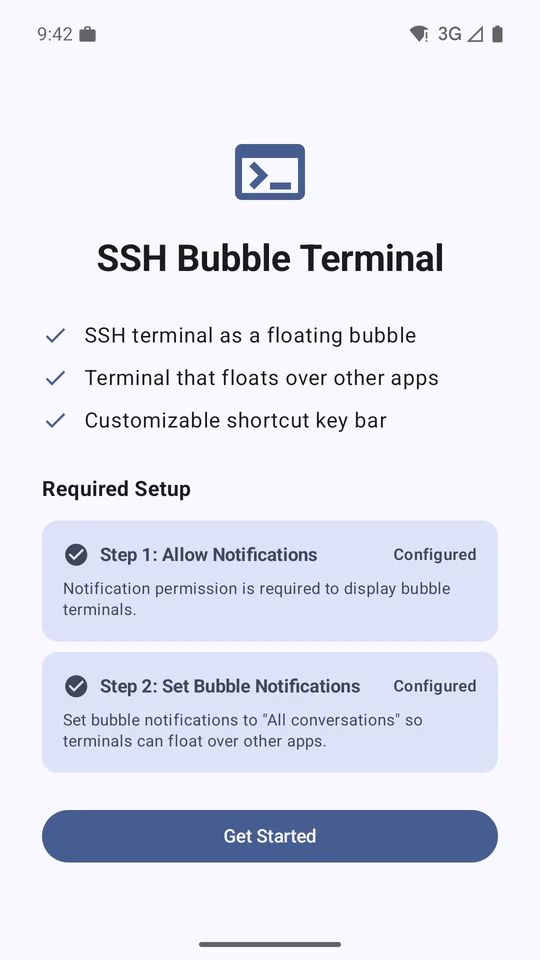
Bubble SSH needs network access, notifications, a foreground service for active sessions, and Android bubble notifications. The onboarding screen links to the relevant system settings.
Flexible access
Bubble SSH is free to download. Monthly, annual, and lifetime Pro options unlock the full feature set. Available offers, local pricing, trial terms, and renewal details are shown before you confirm in Google Play.
Subscriptions can be managed or cancelled through Google Play.
Field notes
Short, product-specific guides for the two setup questions that matter most.
Keep the context. Keep the terminal.
Install Bubble SSH from Google Play and follow the two-step bubble setup.
Get Bubble SSH